The routine runs itself. The personal touch stays yours.
Routine Flamingo books the client, then runs everything around the booking: the welcome, the prep guide, the questionnaire, the scheduling, the gentle nudge, the delivery, the thank-you.
Every message still reads like you wrote it. Because you did, once.
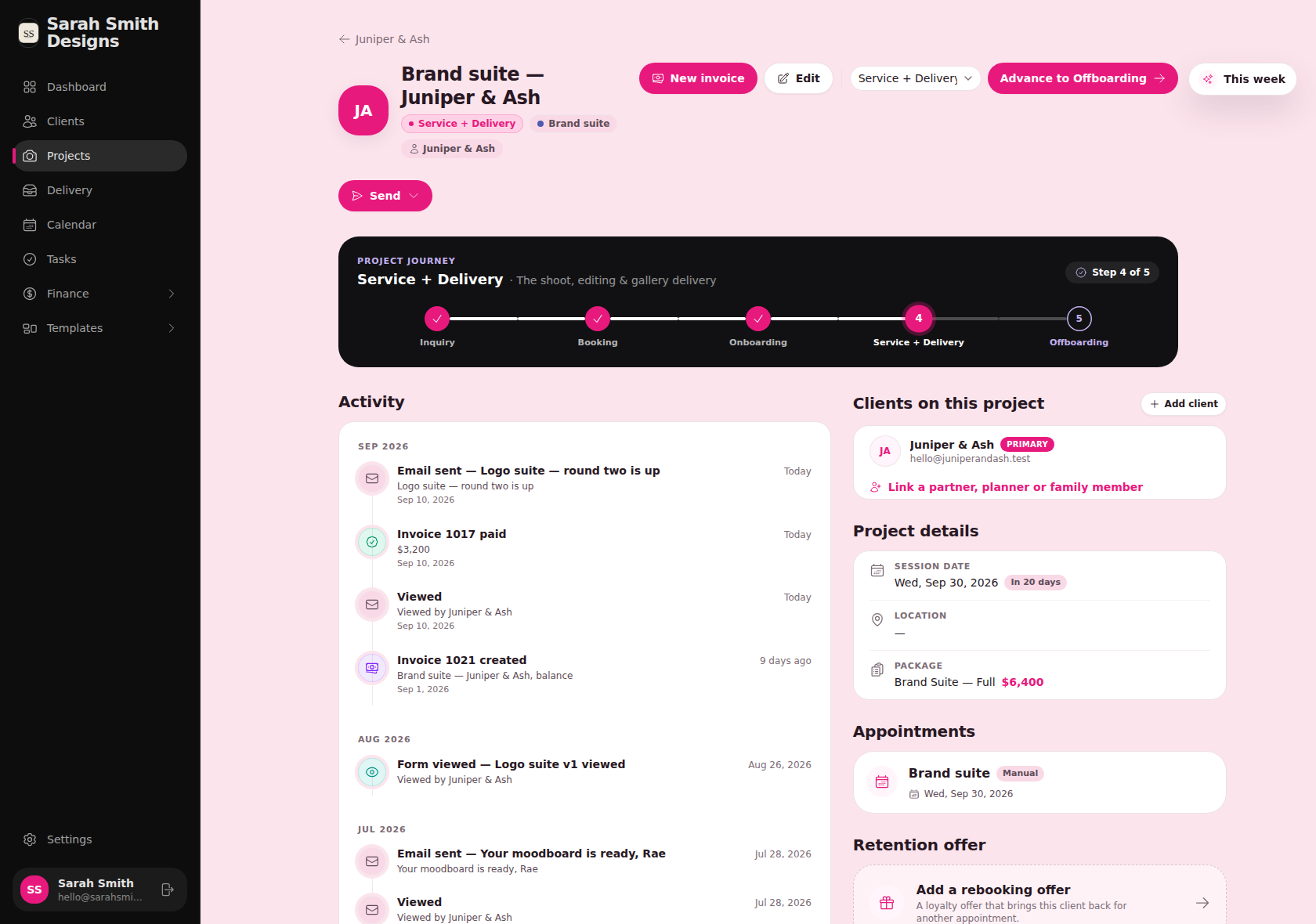
Every project on one page: where it is in the journey, what's been sent, what's been viewed, what's been paid.
Five stages, or the stages your offer actually has.
The journey bar sits at the top of every project, so you always know where a client is. Move them forward and the right emails, forms and reminders take it from there. This is the default journey. Build a custom one for each offer, so a brand suite, a retainer and a one-off session each follow the process you designed for them.
- ✓
Inquiry
The enquiry lands, the reply goes out, the lead stays warm.
- ✓
Booking
Proposal, contract and deposit, then a confirmation that sounds like you.
- ✓
Onboarding
Welcome, questionnaire, scheduler link and a nudge if the form sits unopened.
- 4
Service + Delivery
Sneak peeks, review rounds, approvals and the final handoff.
- 5
Offboarding
Files, a thank-you, a review request and a reason to come back.
Content delivery
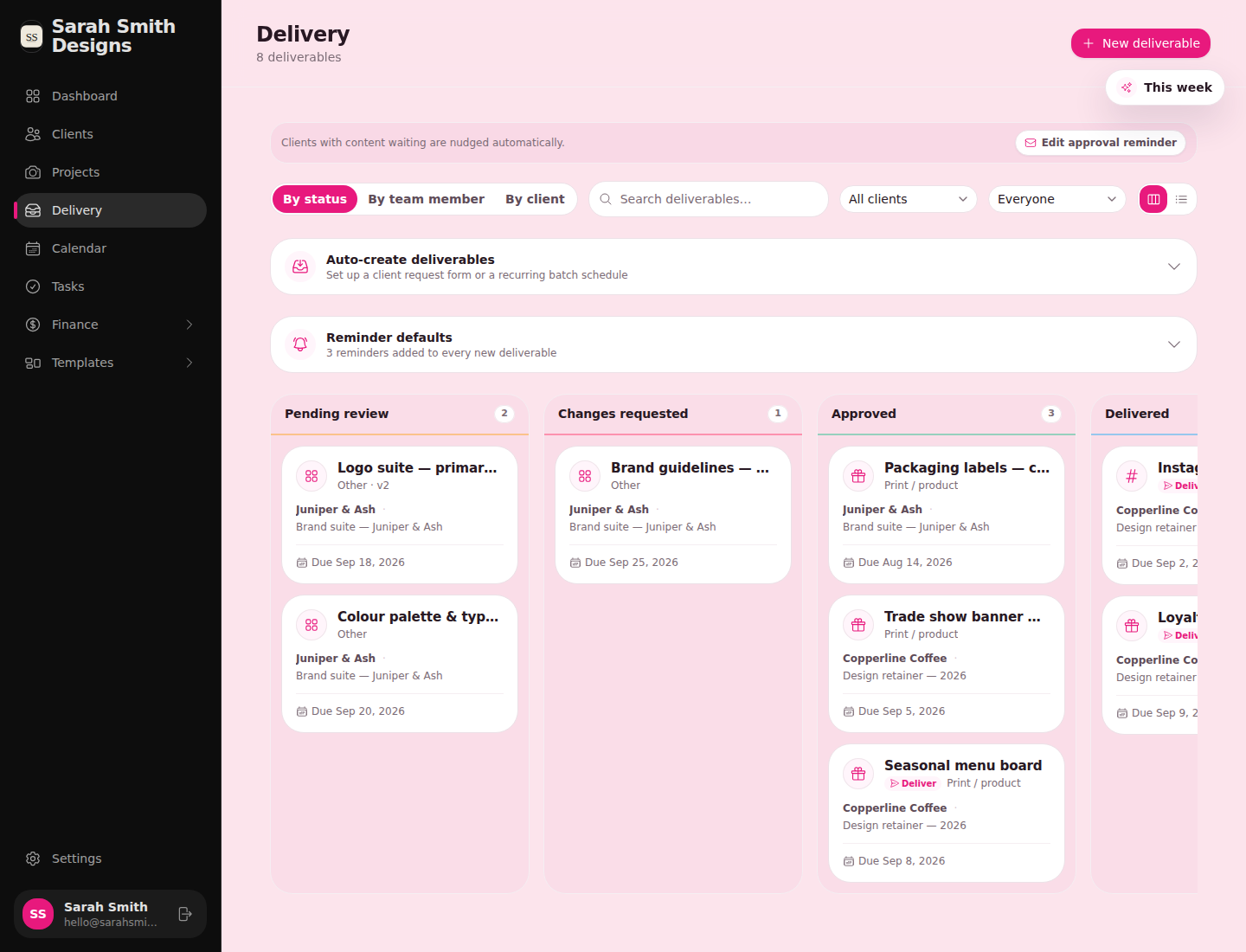
Deliver, get approval, get paid. Without the chasing.
- Two ways to share. Ask for feedback and approval across revision rounds, or just deliver with no feedback loop.
- Clients with content waiting are nudged automatically. You set the reminder sequence once. Resending restarts it.
- Comments live on the piece they're about. Every mark, file or gallery gets its own thread, plus a spot for general notes.
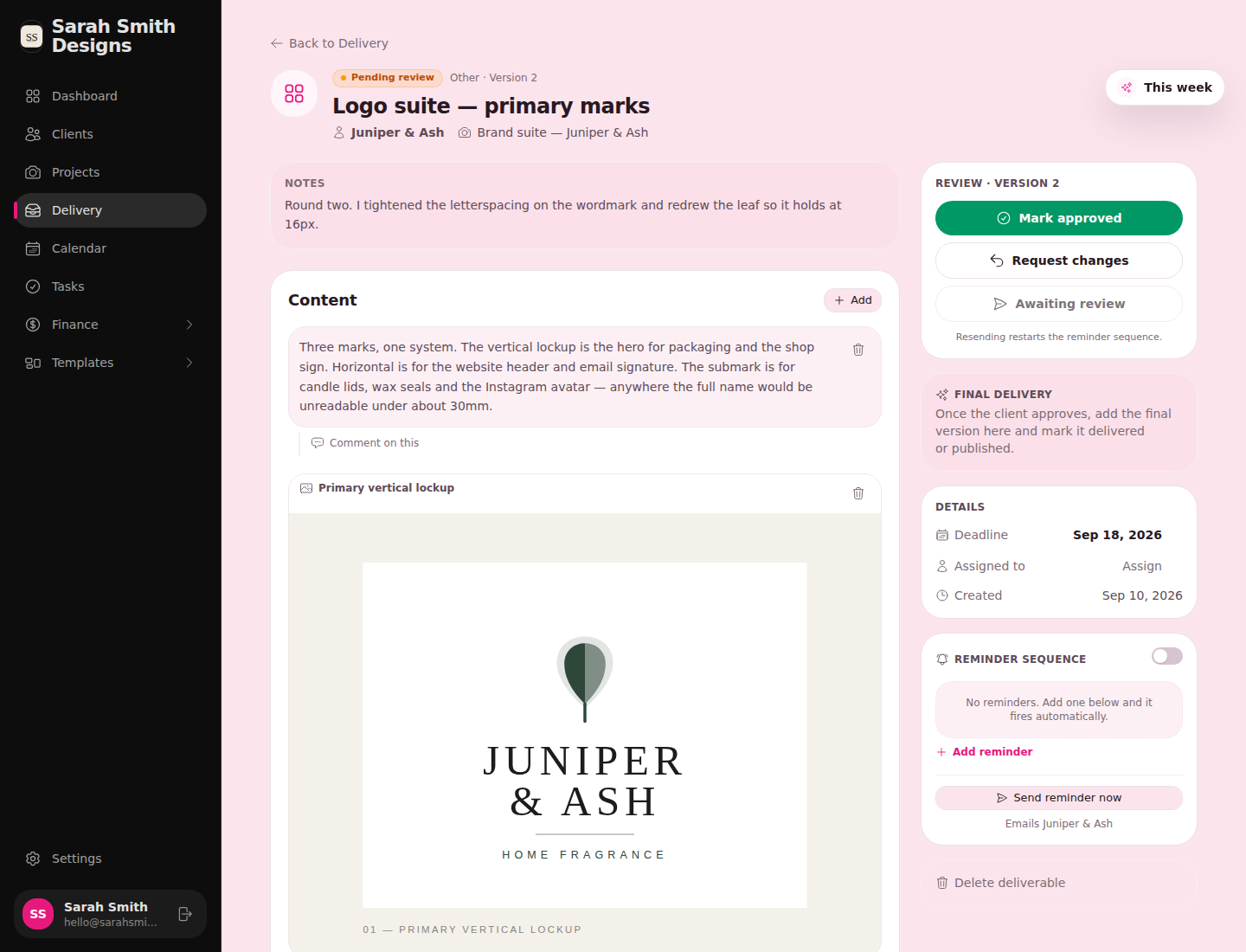
Your note at the top, the work in the middle, one clear decision on the right. The client opens the same review at a plain link.
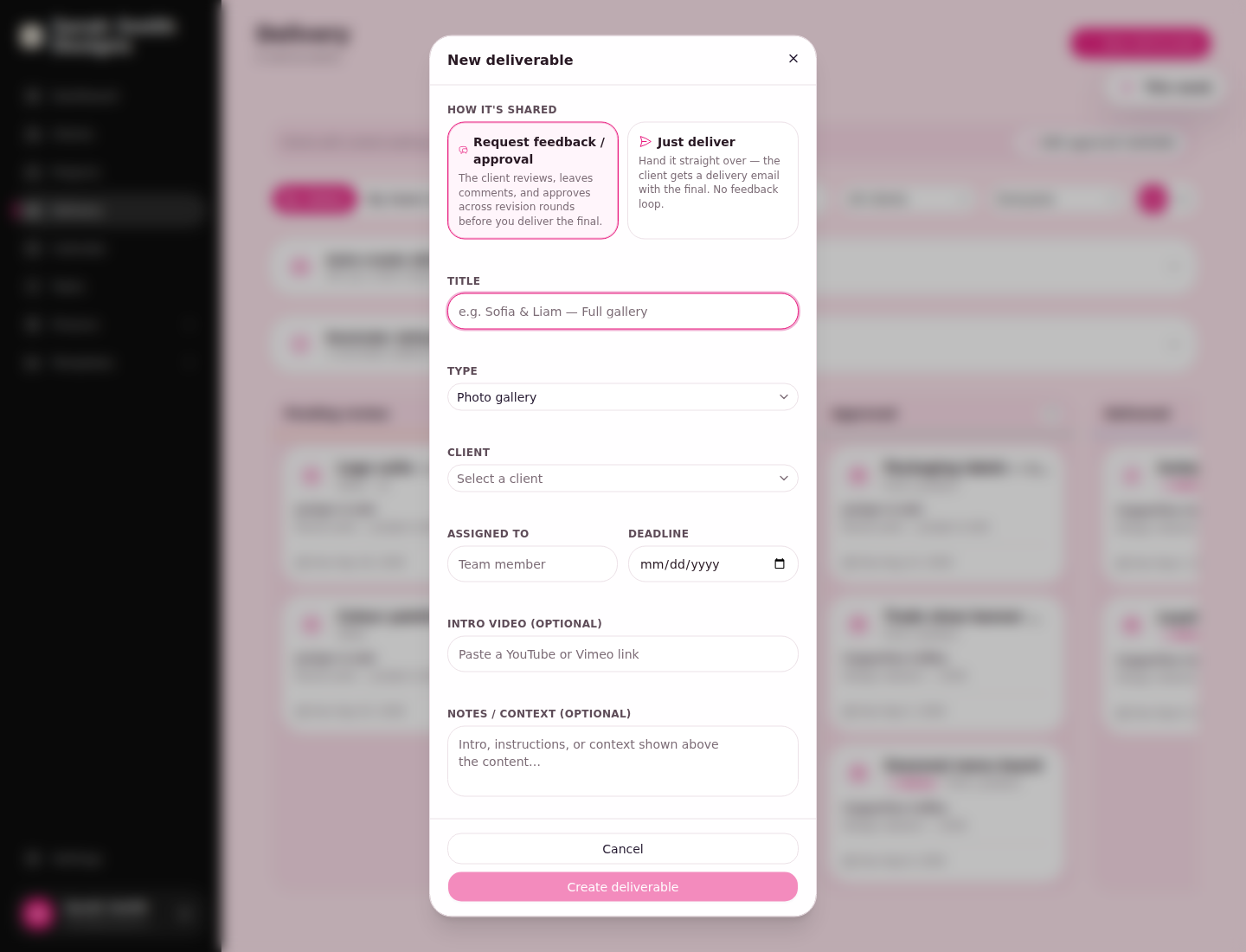
A new deliverable takes a title, a type, a deadline and an optional intro video.
Onboarding
Booked to first review, on a schedule you wrote once.
- Each step owns its timing. The confirmation goes out the moment they enter. The questionnaire a day later. The scheduler link the moment the questionnaire comes back.
- Steps know when to stay quiet. The gentle nudge only goes out if the questionnaire still isn't done three days on. Anything you'd rather eyeball first can wait for your approval.
- Start it your way. Add a client by hand, or let a tag or a submitted form enrol them for you.
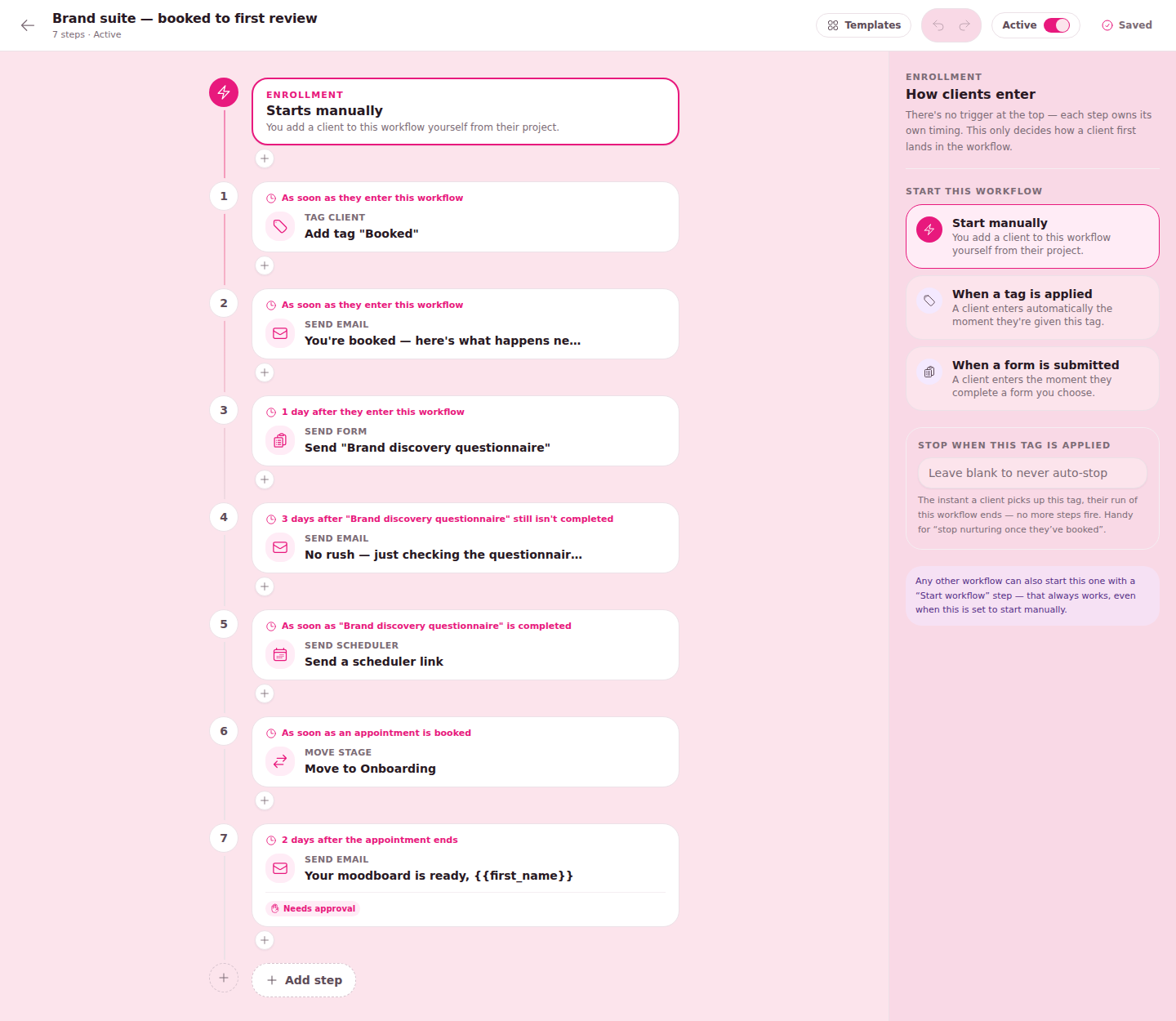

Timing off what the client did, not off a calendar. That's the difference between a system and a nag.

A workflow step can move the project to its next stage, so the journey bar keeps itself honest.
Templates
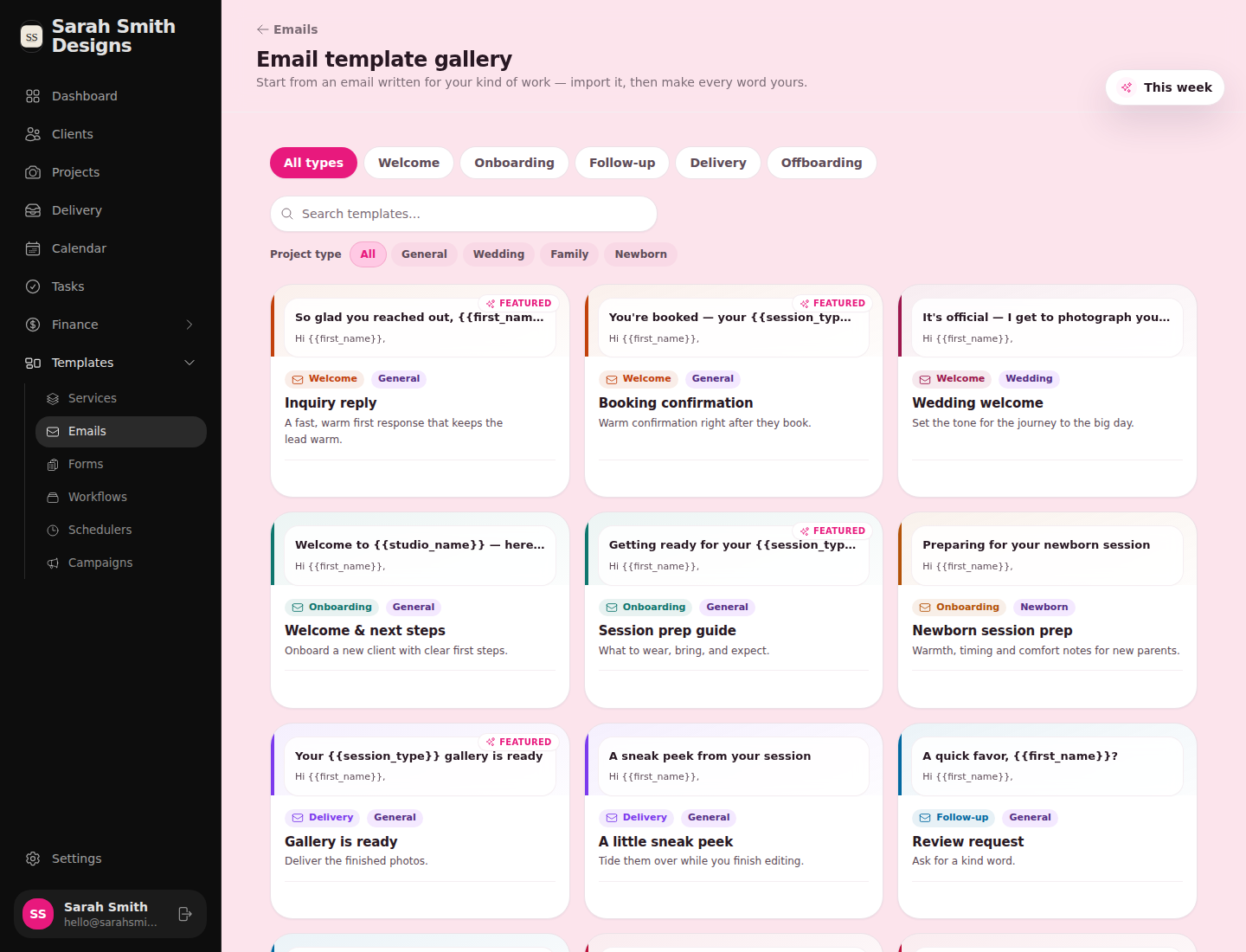
Start from an email written for your kind of work. Then make every word yours.
- A gallery to import from. Inquiry reply, booking confirmation, session prep, gallery ready, review request, sorted by stage and project type.
- One library, sent from anywhere. Write the moodboard email once and every workflow or scheduler that uses it stays linked.
- Smartfields fill the blanks. First name, session type, studio name. The warmth is yours; the typing isn't.
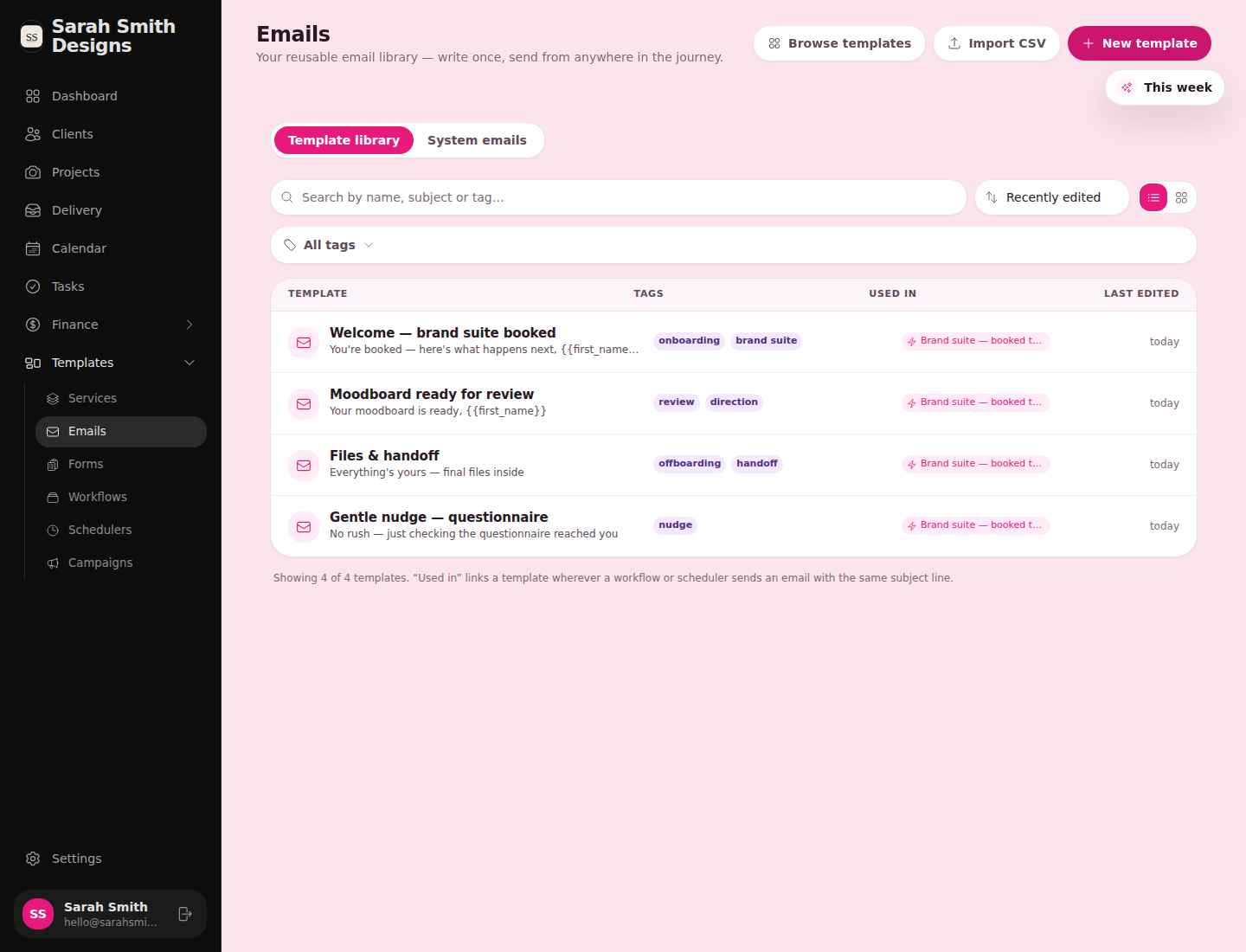

Every template shows which workflow sends it, so nothing goes out that you forgot you wrote.
The part clients notice
One place for everything.
On your side, every form, contract, invoice, booking, review round and message for a client lives on one record, with every project underneath it and a log of what they've opened and paid. On their side, the client portal is the same single home: what's waiting for their approval, their projects, messages, appointments and payments, under your name and your look.
- Forms
- Contracts
- Invoices
- Booking pages
- Deliverables
- Messages
- Client portal
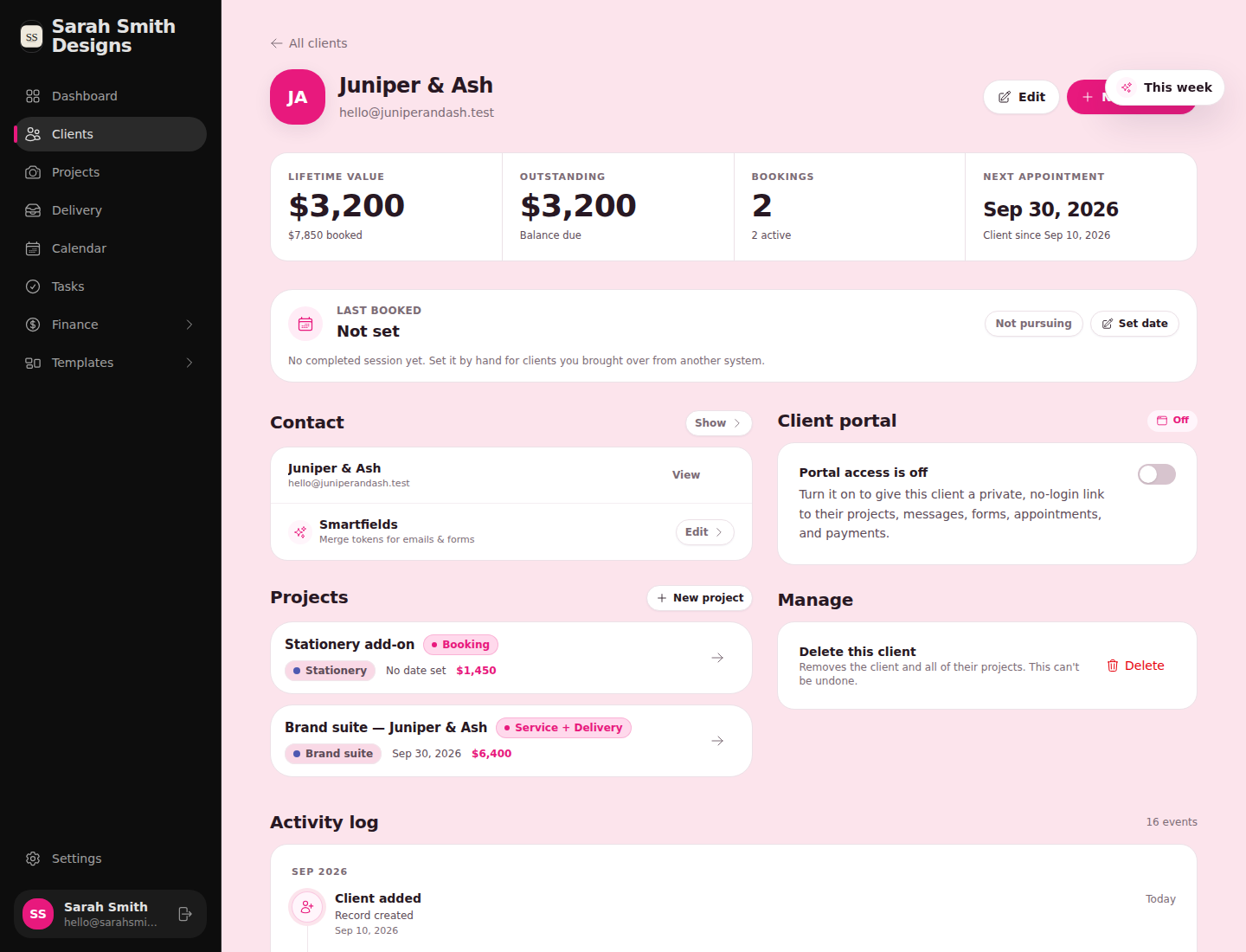
Your view of a client: what they've booked, what they owe, what they've opened, and the switch that turns their portal on.
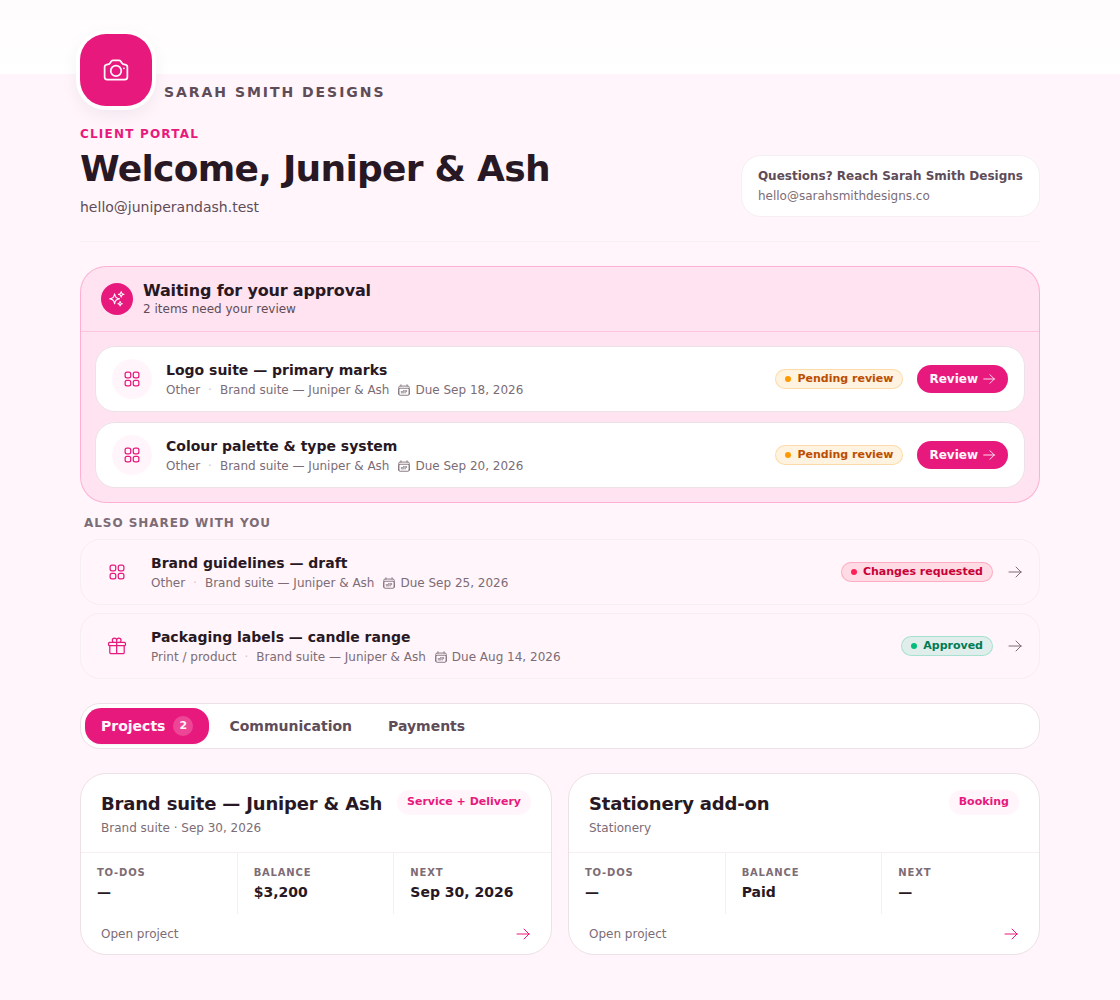
The client's portal, under the studio's name. Anything waiting on them sits at the top.
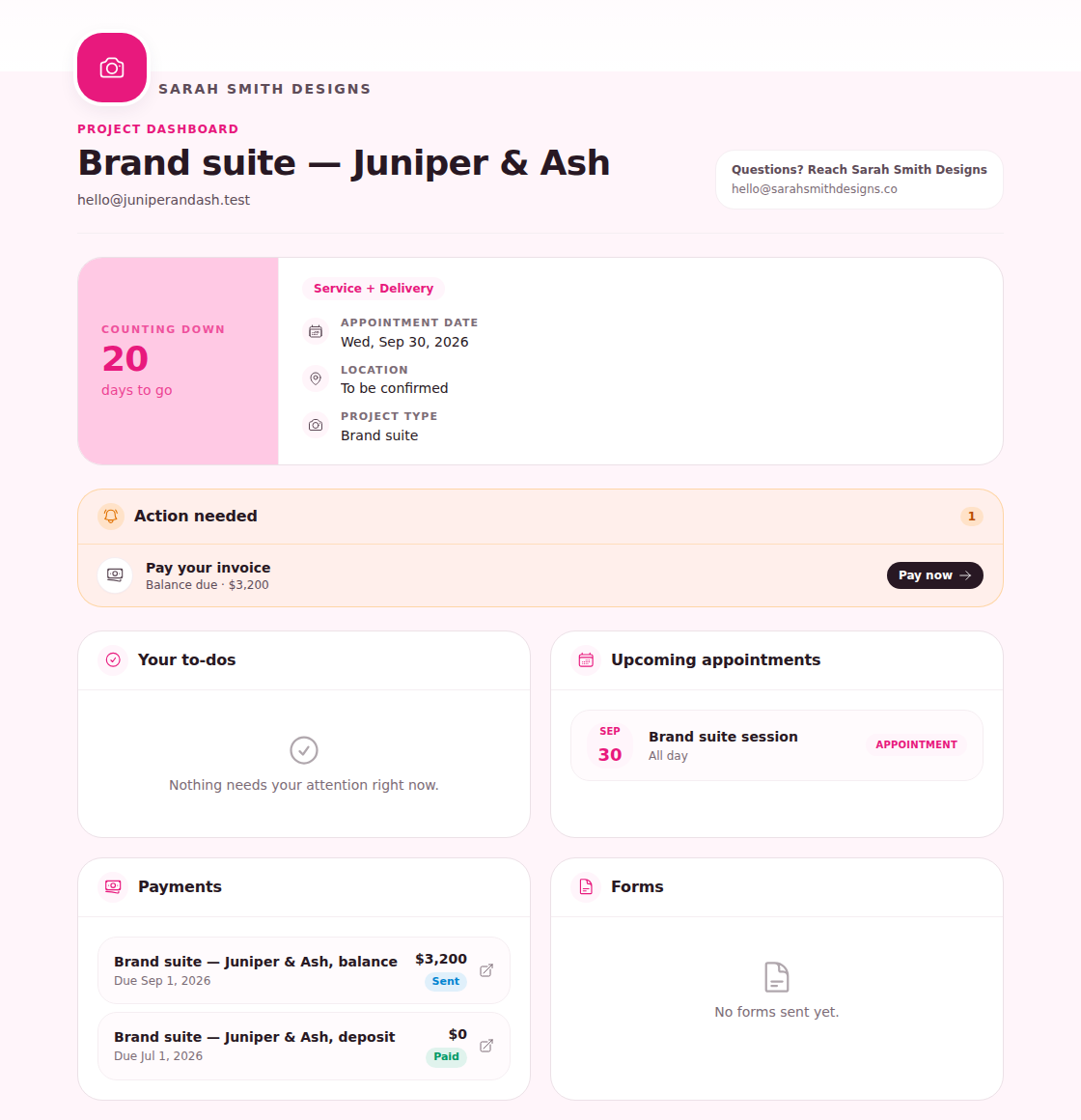
One project from the client's side: the countdown, what needs their attention, payments, forms and a way to message you.
Finance
Invoices, retainers and the numbers behind them.
- Reminders and receipts send on their own. Draft, sent, partly paid, paid. You'll know which is which at a glance.
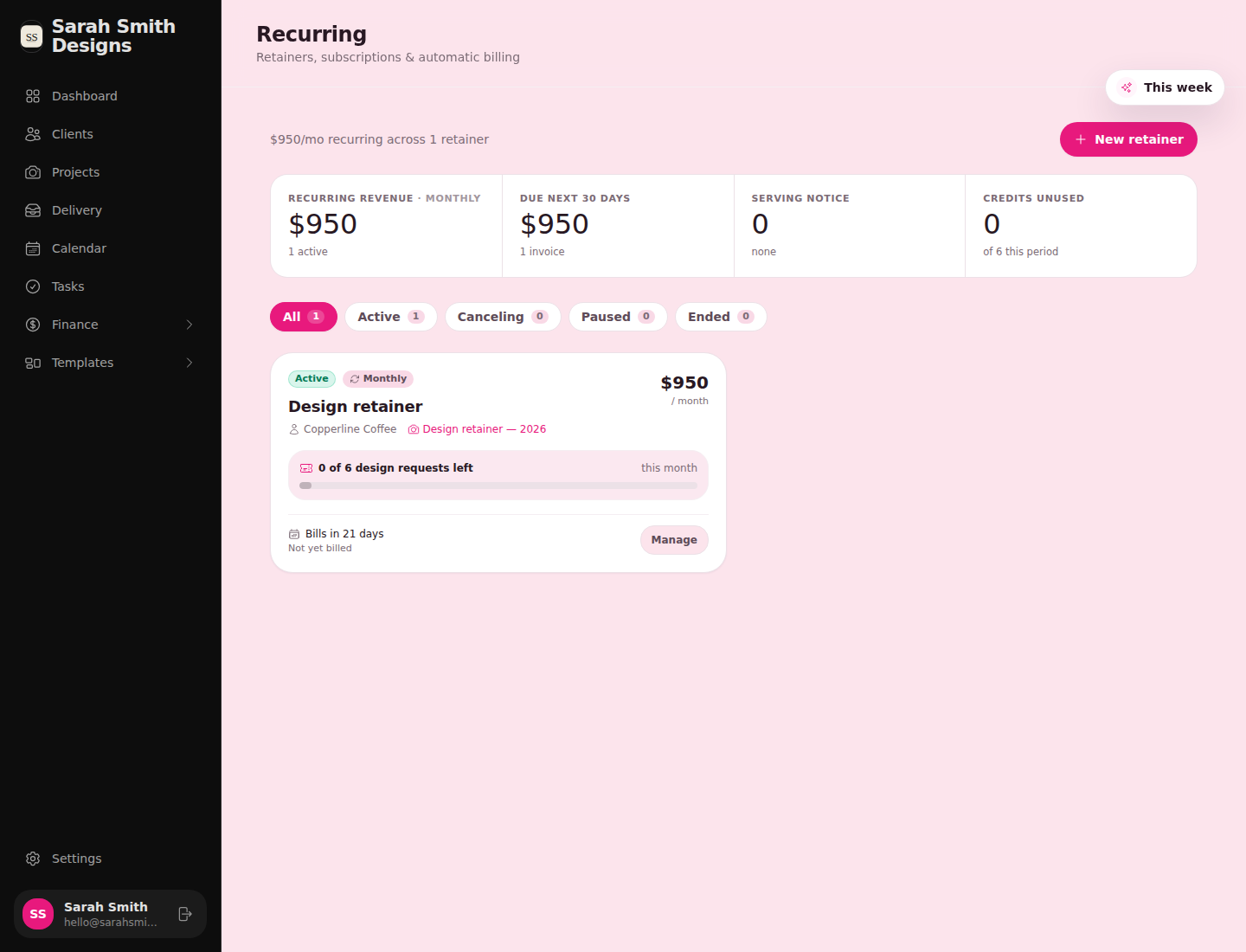
- Retainers and payment plans. Monthly billing with a request allowance, so "how many do I have left" answers itself.
- Insights that mean something. Where inquiries come from, how many book, what each source is actually worth.
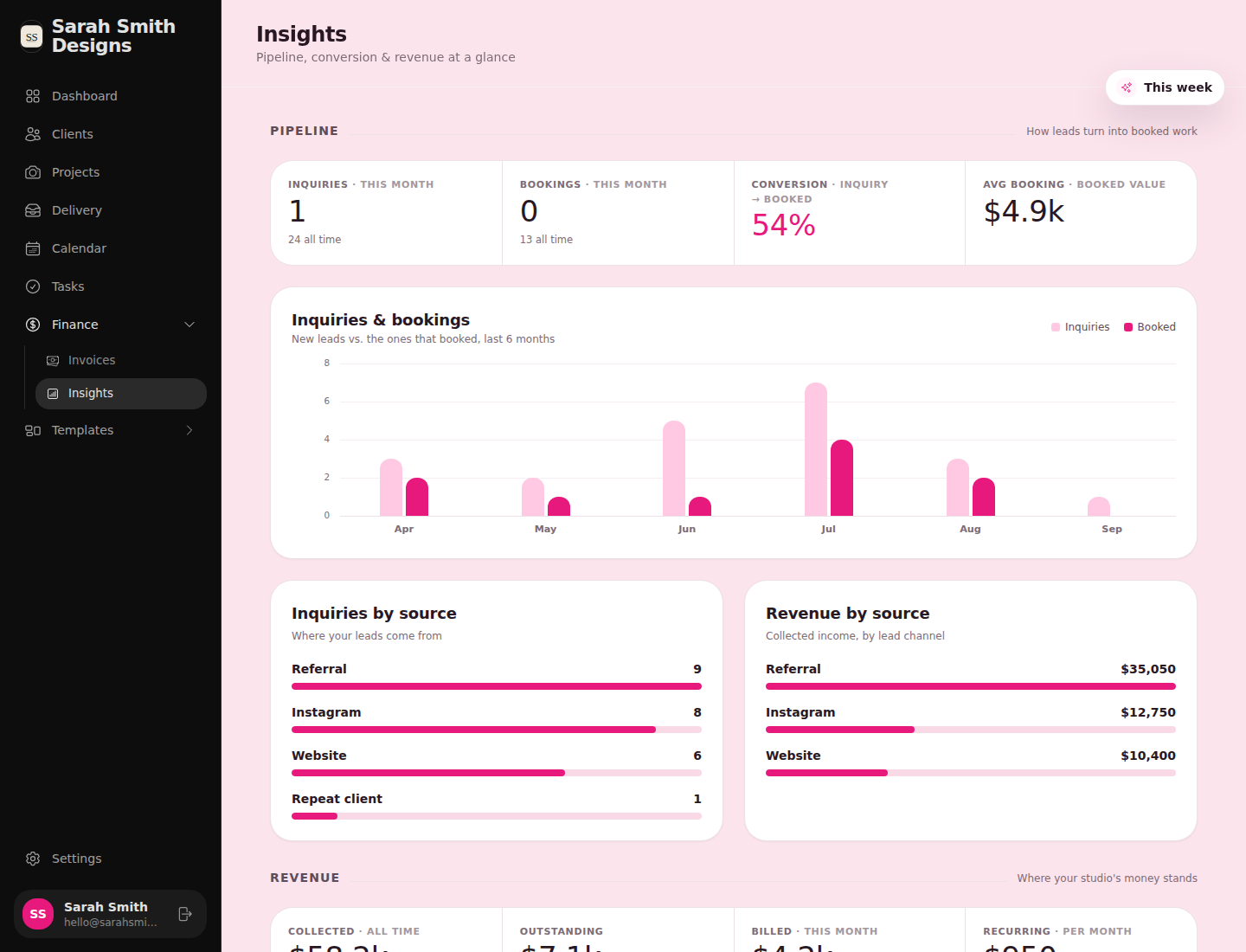
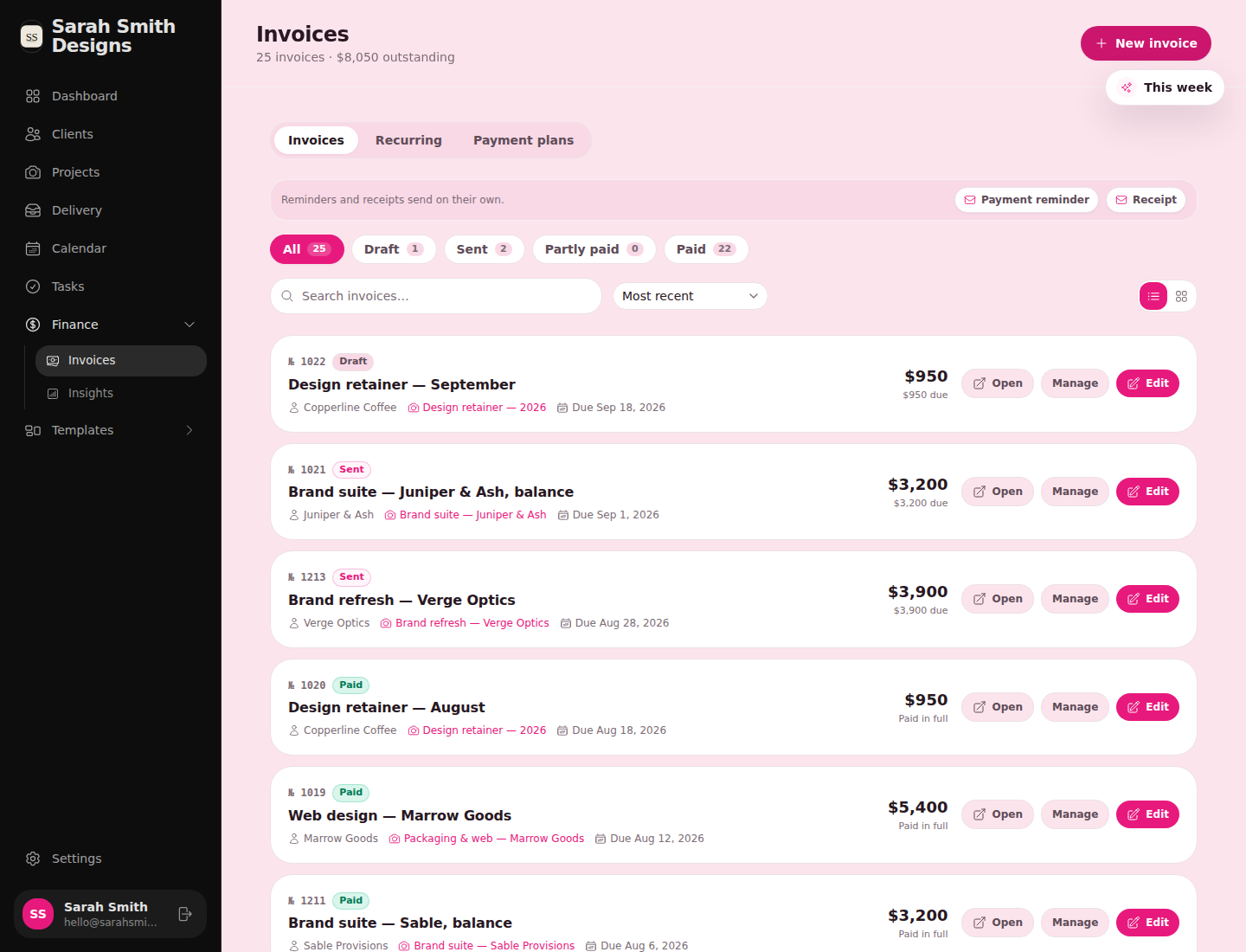
Also in the box
Everything else a booked project needs.
Forms
Questionnaires and request forms that open at a link and can start a workflow when submitted.
Scheduler
Booking pages for consults and sessions. Send the link from a workflow step.
Calendar & tasks
Sessions, deadlines and to-dos in one view, with a "this week" summary always one click away.
Services & proposals
Packages, add-ons and pricing, ready to drop into a proposal or an invoice.
Activity log
Every email sent, form viewed and invoice paid, in order, on the client and on the project.
Campaigns
Send one message to a group of clients when there's something worth saying.
Referrals
Track who sent whom, and see referral revenue next to every other source.
Your look
Colours and fonts on everything a client opens, so it reads as your studio, not as software.
Who it's for
For service providers and creatives who want their onboarding and offboarding to feel like magic.
- Photographers
- Brand and design studios
- Coaches
- Planners
- Consultants
The five-star experience is the point. The time you get back is the side effect.